Target
![]()
Stacks
![]()
Cds
![]()
Overlays
To set the overlay click the button, go to your desired location and press alt + 1.
Target Debuffs
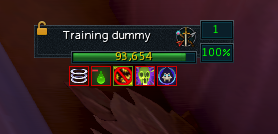
Select which target debuffs to track.
Profiles
Create a new profile or delete the active one.
Clear all cached data including tracked buffs, audio cue settings and overlay position.
Setup
How it works
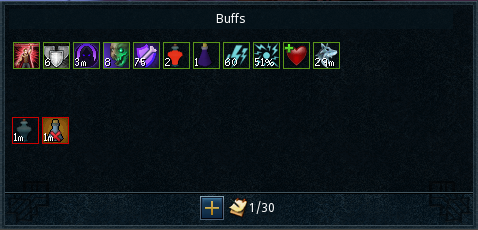
Using alt1 capture API, the plugin reads the information on your screen, in particular the buff/debuff bars and target info.
Buffs with duration ≤59s update in real-time. Buffs >60s (e.g., 5 minutes) start counting down once the game updates their timer (e.g., when it changes from 5m to 4m).
Community
Made with ❤️ by Spare